
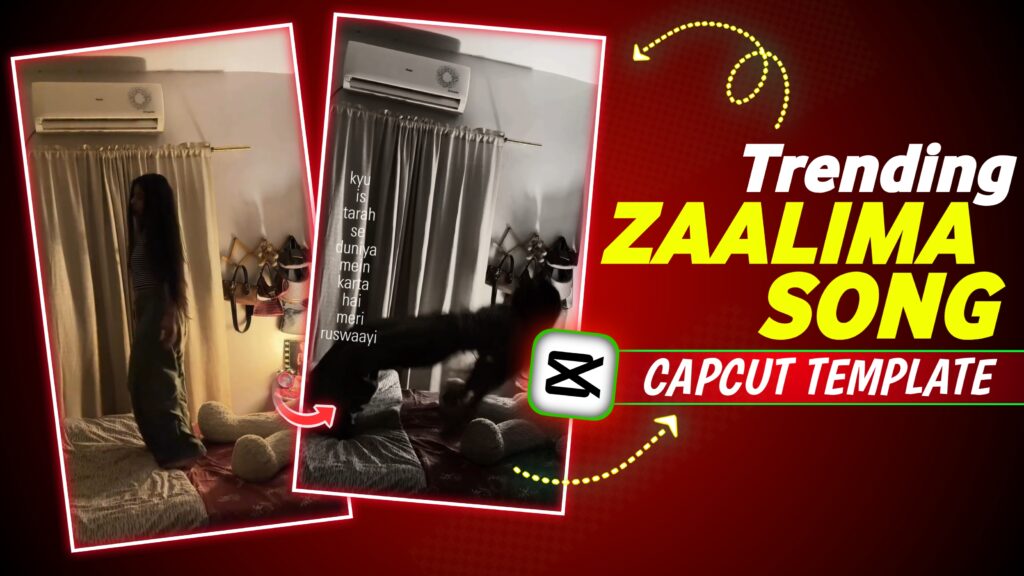

Zaalima Capcut Template – Hey everyone! New trends are constantly emerging on social media, and a fresh one has just hit Instagram. In this trend, girls stand on a bed, perform a specific action, and then fall onto the bed in slow motion while the song “Zaalima” plays in the background; the song’s lyrics also appear on the left side of the screen, making the video even more engaging. These reels are frequently appearing on Instagram feeds lately and look really impressive. Thanks to this trend, the song “Zaalima” is going viral on Instagram despite being an older track. You too can create and post such a video on social media—it might even go viral—so in this article, I’ll show you exactly how to make a “Zaalima” song video like this.
Zaalima Song Capcut Template
Things have changed drastically; while editing a video used to take hours, you no longer need to waste that much time. You can give your videos a professional look without wasting time and garner significant views on social media. The best part is that creating such videos is incredibly easy, as I am providing you with a CapCut template that allows you to create them effortlessly in just a few minutes.
What Makes This Template So Special?
The best thing about the template is that it allows you to edit your video like a professional without any hassle; you don’t need to manually add music, animations, cut scenes, speed adjustments, or effects. Everything required for the video is already included in the template, which automatically detects the elements and generates a professional-quality video for you.

How To Use This Zaalima CapCut Template?
To create a video like this, first record a clip of yourself falling onto a bed in a stylish manner. Next, download and install the CapCut app as well as any VPN app, and connect to the VPN. Once connected, locate the specific template mentioned in the article, click on it, and add your clip; the video will begin generating automatically and will be ready shortly for you to save to your gallery.
Conclusion
I have tried my best to explain this to you, and I hope you have clearly understood how to create such a video using the ‘Zaalima’ CapCut template. Do let me know in the comments what you thought of today’s post. If there is anything you didn’t understand, feel free to ask me on Instagram—my ID is @vinayajay1—and I will do my best to resolve any issues you might have.



1782612049590.json
Please banaa do achcha Sa Main tumko photo De dungi
Not found
Zalima🤗🤗
युवर व्हिडिओज अँड पोस्ट आर व्हेरी इंटरेस्टिंग अँड गुड
Hi
zalima gana
Bed video
Bijnor
Y_2/172/5 khaldhari santi nogor
8697822525
Mere video bnao
I want make i like this video but it’s shows not found
Please create my video
I want that template